GalleryVault ProKey: Hide Pics
- 4.8
- Rating
- 50.00K
- Installs
- $14.99
- Price

 Analysis by App-foxy
When private photos, videos, voice recordings, or documents are mixed into an ordinary phone gallery, the problem is rarely storage. It is visibility. A friend borrows the phone, a child opens the gallery, or I simply want work files kept away from personal memories, and suddenly a normal media app feels too exposed. GalleryVault ProKey: Hide Pics is built for that starting point: it is a privacy-focused app in the video players and editors category that places hidden personal content behind a separate access point.
I approached it as a practical tool rather than a magic privacy solution. The useful question is not whether it can hide a picture; the useful question is whether it makes the whole journey from selecting a file to retrieving it later feel manageable. In my experience, its appeal comes from handling more than photographs. It is intended for videos, audio files, and documents too, while support for an SD card makes it more relevant to phones where personal media is not stored only in internal memory.
From an exposed gallery to a private collection
The starting condition is familiar. I may have a scan of an identity document, a personal video, a recording from a meeting, or simply images I do not want appearing beside everyday camera shots. Moving those files into a private space is more useful than repeatedly remembering to avoid opening the gallery in public.
You May Also Like

 Pandora - Music & Podcasts
Pandora’s Music Is Easy to Start, but Harder to Recover
Pandora’s strength is its low-effort path from a seed to a station. Its weak spot is how much confidence it asks you to place in connection, setup, and quiet recovery.

 AccuWeather: Weather Radar
AccuWeather Review: A Quick, Clear Forecast for Everyday Decisions
For everyday plans, the best forecast is the one you can understand quickly. AccuWeather makes rain timing, radar, and local conditions easy to act on, with a few trade-offs.

 Hill Climb Racing
Why Hill Climb Racing Still Turns Crashes Into One More Run
A tiny car, a bumpy hill and one more upgrade: Hill Climb Racing keeps resurfacing because its simple chaos makes every near-miss feel personal.

 AliExpress - Shopping App
AliExpress Makes Global Shopping Feel Personal, but Shoppers Bear the Risk
AliExpress turns a global marketplace into a pocket-sized discovery engine. Its reach is useful, its shopping loop compelling, and its trade-offs easy to miss.

 Lords Mobile: Kingdom Wars
Lords Mobile Is a Kingdom-Building Routine, Not a Quick Match
A case-by-case verdict on the building, battles, device demands, and social commitments that make Lords Mobile rewarding for some players and exhausting for others.

 PDF Scanner app - TapScanner
TapScanner Makes Paperwork Easier to Capture, Check, and Share
TapScanner makes scanning with a phone feel less like a rescue operation and more like a dependable step in getting work done. Its capture tools are useful, though not flawless.
More From Our News Desk
View All News


The app’s short store description is simply “GalleryVault,” but the longer feature set gives a clearer picture of its purpose. It is designed to hide pictures, videos, audios, and documents, rather than limiting the vault to one media format. That matters when a single privacy task crosses several file types. A travel folder, for example, might contain passport scans, downloaded tickets, recorded confirmations, and personal photos. Keeping those items together is more practical than using separate hiding methods for each one.
The developer is GalleryVault Developer Team, and the app has been available since August 4, 2012. That long presence gives the product a more established feel than a brand-new vault utility, although longevity alone does not remove the need to use sensible phone security. I would still treat the vault as one layer in a broader privacy routine, alongside a strong device lock and careful control over who handles the phone.
Choosing what should leave the normal gallery
My first step would be to decide what actually needs privacy. Hiding everything can create a second, confusing gallery that is difficult to maintain. A better workflow is to move only material that would cause a problem if it appeared in a thumbnail, recent-file view, or casual browsing session.
That selection can include obvious personal media, but the document support changes the way I think about the app. A document does not need to be sensitive in a dramatic way to deserve separation. A draft contract, medical paperwork, a private letter, or a scan containing an address may be unsuitable for an open gallery even if the file itself is not something I view often.
There is also a useful distinction between hiding a file and organizing it. A vault can reduce accidental exposure, but it does not automatically create a thoughtful filing system. I would use a small number of meaningful groups and avoid moving files into the private area without a retrieval plan. The best privacy workflow is one I can reverse later without guessing where an item went.
Moving media into the vault
Once I have identified the files, the next handoff is from the phone’s ordinary storage to the protected collection. This is where a privacy app earns its place: the process should feel like a deliberate transfer, not a duplicate that leaves the original exposed.
For pictures and videos, the benefit is easy to understand. Instead of relying on the standard gallery’s hidden-folder behavior, I can place selected media in an area intended specifically for private viewing. Audio files and documents extend the same workflow beyond the camera roll. That makes the app more useful for someone who wants one private destination instead of a collection of unrelated tricks.
SD card support is particularly relevant when a phone stores large videos or a substantial personal archive outside internal storage. It can reduce the need to move everything into internal memory before organizing it. At the same time, removable storage introduces a practical responsibility: I would keep track of which files live on the card and avoid removing that card while the app is actively working with its contents. The feature is valuable, but it makes storage planning part of the workflow.
A good habit is to check the ordinary gallery after transferring a small batch. If the files still appear there, the handoff has not achieved its purpose yet. I would also open one or two items from the private collection before deleting any original copies. That simple check prevents the most frustrating mistake in any file-moving process: removing the visible copy before confirming that the private copy is usable.
Using a hidden icon in everyday situations
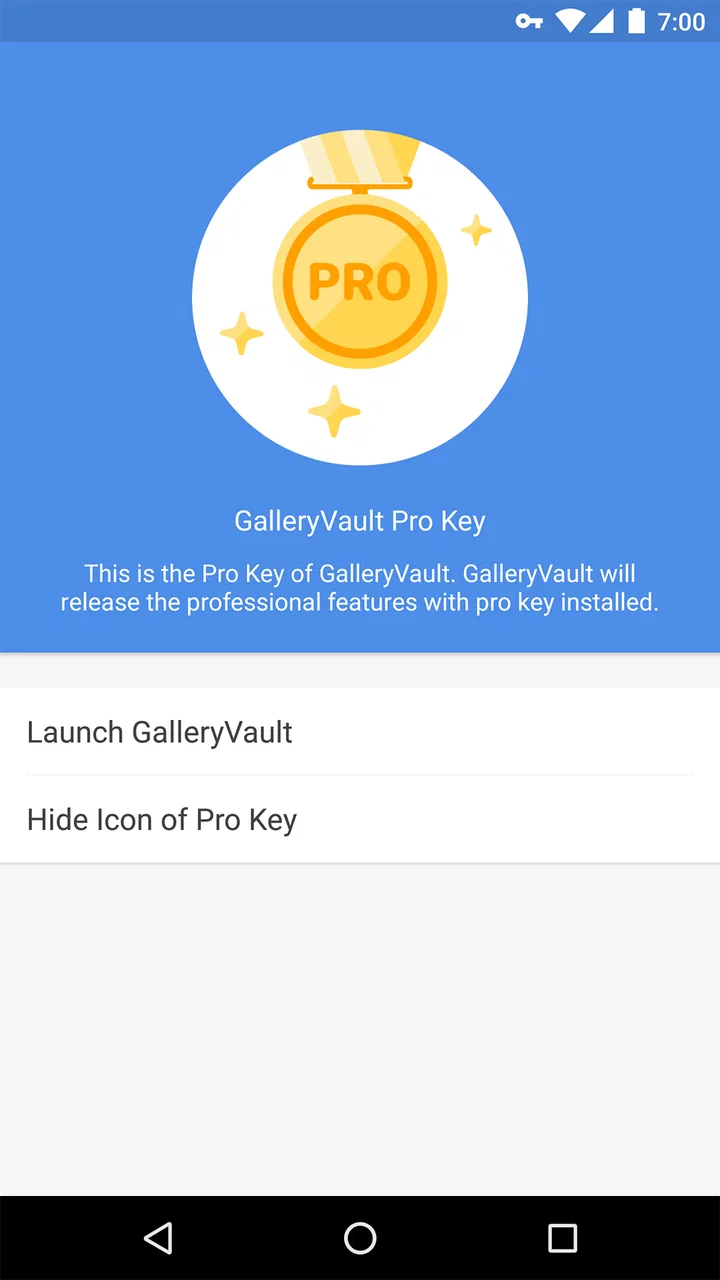
The hide-icon option addresses a different kind of exposure. A vault that is visibly sitting on the home screen can invite questions or make the purpose of the app obvious to anyone browsing the phone. Hiding the icon makes the entry point less conspicuous, which is helpful when the goal is discretion rather than merely moving files out of the standard gallery.
This feature also creates the most important handoff in the entire experience: the handoff back to me. If the icon is hidden, I need to remember how to reach the app. I would not enable that option casually and then assume I will remember the access route months later. A private tool is only useful when its owner can reliably return to it.
That is a subtle trade-off. A visible shortcut is easier and faster, especially for frequent access. A hidden shortcut is better when occasional privacy matters more than convenience. I would choose the hidden-icon setting for an archive I rarely open, but I might leave the entry point available if I regularly need private documents during travel or work.
What happens when files cross between apps
Privacy does not end once a file is inside the vault. The moment I share, edit, export, or open an item in another application, the file may leave that private workflow. This is where many vault tools become less convenient than ordinary galleries and file managers: private storage is useful precisely because it adds a boundary, and boundaries add steps.
For a photo I only want to view, the private collection is a clean destination. For a video I need to edit, or a document I need to attach to a message, I should expect a deliberate handoff. Before doing that, I would decide whether the exported copy needs to be removed afterward. Otherwise, the sensitive file can quietly reappear in downloads, recent files, an editor’s project list, or a messaging app’s attachment browser.
This is one of the app’s genuine limitations rather than a flaw unique to it. A normal gallery is smoother when files must move constantly between editing, sharing, and cloud services. GalleryVault is better suited to content that should remain private most of the time. The more often I need to send a file elsewhere, the more its privacy benefit competes with everyday convenience.
The outcome after the transfer
The successful outcome is not simply an empty camera roll. It is a phone where selected personal material no longer appears during casual browsing, while the files remain available when I intentionally open the vault. In that role, the app is straightforward and focused. It gives me a separate place for mixed media instead of asking me to treat photographs, recordings, and documents as unrelated privacy problems.
A realistic example would be preparing for a trip. I might place passport scans and other travel documents in the private collection, move personal videos away from the normal gallery, and keep the files available on an SD card. When someone asks to see vacation photos, I can show the ordinary gallery without exposing paperwork or unrelated recordings. Later, when I need a document, I return to the private area rather than searching through a crowded downloads folder.
Another scenario is a shared household tablet or a phone that children occasionally use. Hiding selected media can reduce accidental discoveries and keep personal material separate from content intended for general viewing. I would not treat that as a replacement for supervised device use, but it is a practical way to make the everyday gallery less revealing.
The app currently appears as version 3.1.0 and requires Android 6.0 or later. Those details matter before installing: an older Android device may not be compatible, while a supported phone should still be checked for enough usable storage if the private collection will include large videos. The content rating is Everyone, which fits the app’s utility purpose, but that rating should not be confused with a guarantee that every file placed inside it is appropriate for every person using the phone.
Where the workflow becomes inconvenient
The first friction point is access memory. If I hide the icon and later forget how to open the vault, the privacy setting has worked against usability. I would write down the recovery or access method in a secure place, not in a note left openly on the phone. This is a small preparation step, but it matters more than the setting itself.
The second is file visibility outside the vault. Android devices can expose media through several routes, including file browsers, recent items, backups, or other apps. I would not assume that moving a file into a private collection erases every existing copy or prevents every other application from knowing it exists. After a transfer, checking for duplicates and cleaning up unnecessary originals is part of the job.
The third is the cost. The listed price is $14.99, so this is not a casual choice for someone who only wants to hide a handful of screenshots once. I would consider it more reasonable for a person with an ongoing privacy workflow involving several file types, SD-card storage, and regular separation between public and private media. Someone who already uses a device-level secure folder or needs only occasional file protection may prefer the built-in option instead.
There is also a maintenance burden. A private archive can become forgotten storage, especially when videos and documents are moved there and never reviewed. I would schedule an occasional cleanup: remove files that no longer need protection, confirm that important documents still open, and reconsider whether exported copies remain elsewhere. The app can organize the private side of the phone, but it cannot decide what should remain private forever.
How it compares with ordinary alternatives
The usual gallery is faster for browsing, editing, and sharing, but it is a poor place for material that should not appear during casual use. A file manager offers broad control over folders and storage locations, yet it usually requires more manual organization and does not feel like a dedicated private viewing space. Cloud storage can separate files from the phone, but it introduces dependence on accounts, connectivity, and a remote copy.
GalleryVault’s strongest position is between those choices. It keeps selected content on the device while giving it a more private destination than the standard gallery. Its support for pictures, videos, audio, documents, and an SD card makes the workflow broader than a photo-only hiding tool. Its weaker position is with people who need constant collaboration, fast editing, or effortless sharing. For them, the extra boundary may become an annoyance.
The app has an average rating of 4.8 from around 12 thousand ratings, with about 1.2 thousand written reviews, and it has passed 50 thousand installs. Those figures suggest that many users find the basic idea useful, but they should not replace personal testing. Privacy tools are highly dependent on a person’s phone model, storage setup, habits, and expectations about what “hidden” means.
Who should use it and who should skip it
I would recommend it to someone who wants one focused place for private photos and videos but also needs to include recordings or documents. It is especially appealing when an SD card is part of the phone’s storage routine, or when the ordinary gallery is regularly shown to other people. The hidden-icon option is a meaningful advantage for users who value discretion over instant access.
I would be more cautious about recommending it to someone who edits and shares private media every day. That workflow repeatedly crosses the boundary the app is designed to create, and each export creates another opportunity to leave copies behind. I would also look elsewhere if the main requirement is automatic synchronization across several devices, because this app’s practical strength is local separation rather than a broad multi-device workflow.
For a user on an older Android phone below the required system level, it is not a suitable choice. For a supported device, I would begin with a small, non-critical group of files, confirm the transfer and retrieval process, and only then move important documents or irreplaceable memories. That test is more valuable than assuming the setup will match another phone.
My final experience with the workflow
GalleryVault ProKey: Hide Pics works best when I treat it as a private filing routine, not as a button that makes every trace of a file disappear. The path is clear: select material from the normal gallery or storage, move it into a private collection, decide whether the entry point should remain visible, and be careful whenever a file is handed to another app.
Its real strengths are the range of supported content, SD-card support, and the ability to make the vault less conspicuous. Its real weaknesses are the price, the extra steps around sharing and editing, and the need for the user to remember how access works and clean up duplicate copies. Those trade-offs are acceptable for someone who values a deliberately separated private archive.
My recommendation is therefore measured but positive. If your phone contains a mixture of personal media and documents that should not appear during ordinary browsing, this app offers a practical workflow with more scope than a simple hidden-photo feature. If you mainly need speed, collaboration, or seamless cloud access, a standard gallery, file manager, or device-level privacy feature may fit better. Used thoughtfully, it can turn an exposed, cluttered gallery into a more controlled private space without making every file impossible to reach.
FAQs for GalleryVault ProKey: Hide Pics
01What is GalleryVault ProKey: Hide Pics used for?
GalleryVault ProKey: Hide Pics is designed to protect private photos, videos, and other personal files by moving them into a secured vault inside the app. After importing content, users can access it through a password or another supported lock method instead of seeing it in the regular gallery. It is useful for keeping sensitive media away from casual viewers, although it should not replace a complete device backup.
02How does GalleryVault ProKey protect hidden photos and videos?
The app generally hides selected media from standard gallery applications and places it behind an in-app security screen. Depending on the device and version, protection may include a PIN, password, pattern, or biometric authentication. During testing, users should carefully review the available security settings, because hiding files is not the same as guaranteeing encryption. A strong passcode and updated device security are still important.
03Can I recover my files if I forget the GalleryVault password?
Recovery options depend on the version of GalleryVault ProKey and the security features configured on your device. Some installations may offer a recovery email, security question, or reset process, while others may provide limited assistance to prevent unauthorized access. Before importing important files, users should check the recovery settings and create a secure backup. Forgetting the password without a recovery method could make the stored content inaccessible.
04Will uninstalling GalleryVault ProKey delete my hidden photos and videos?
Users should not assume that uninstalling GalleryVault ProKey will safely preserve or recover hidden content. Files stored inside an app’s private area may be removed with the application, become difficult to locate, or remain in a folder that is no longer managed correctly. Before uninstalling, changing phones, or clearing app data, open the vault and export important media to a trusted location. Also verify that the exported files can actually be opened.
05Is GalleryVault ProKey: Hide Pics safe to download and use?
GalleryVault ProKey can be useful for privacy, but its safety depends on downloading it from a trustworthy source and reviewing the permissions requested during setup. Avoid unofficial modified APK files, since they may contain malware or altered code. Check the developer information, recent update history, privacy policy, and user feedback before installation. Because the app handles personal media, use a strong lock, keep Android or iOS updated, and avoid storing irreplaceable files without a separate backup.
Pros
- Discreet vault icon helps keep private content less noticeable.
- Supports organizing hidden media into separate albums.
- Can protect access with a password or pattern lock.
- Useful for storing sensitive photos away from the standard gallery.
- Offers a simple interface that is easy to understand.
Cons
- Forgetting the unlock method may make recovery difficult.
- Some features may depend on the companion GalleryVault app.
- Hidden files can use considerable storage on the device.
- Privacy protection may weaken if someone knows your device passcode.
- App compatibility and updates may vary on newer Android versions.

GalleryVault ProKey: Hide Pics
Gallery